Tiếng Việt
Technical Support
RSLogix/Studio 5000: How to Uninstall
Summary
RSLogix/Studio 5000: How to Uninstall
Environment
- RSLogix 5000
- Studio 5000 Logix Designer
- FactoryTalk Optix Studio
Answer
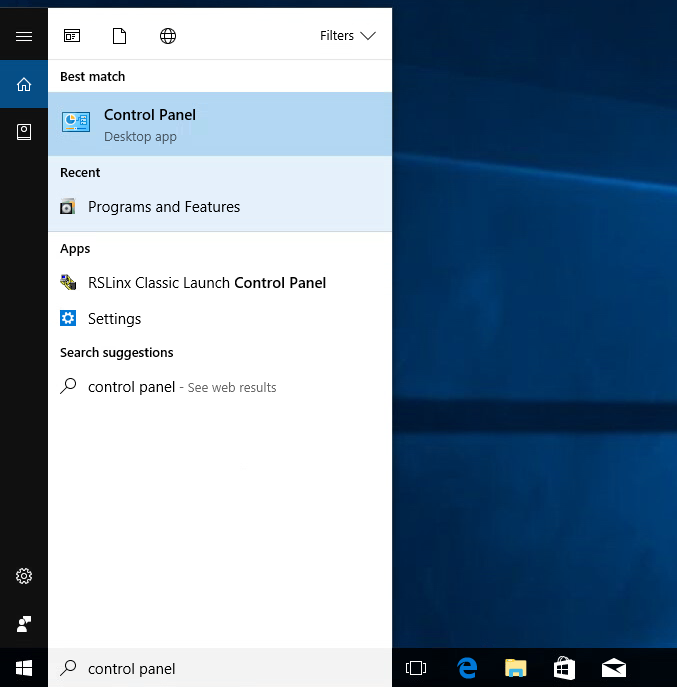
- Go to the Control Panel
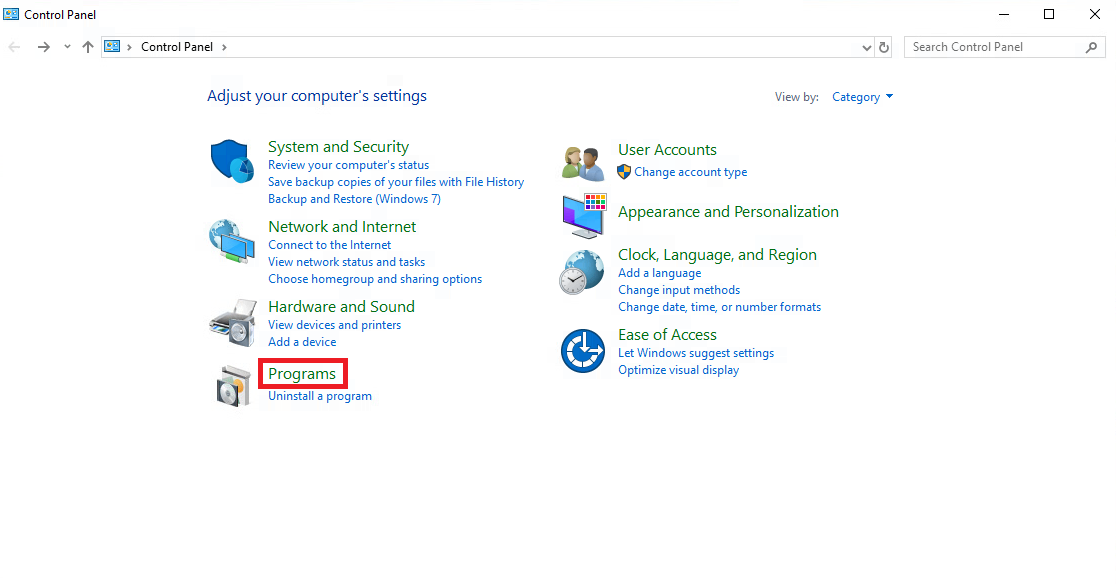
- Click on Programs
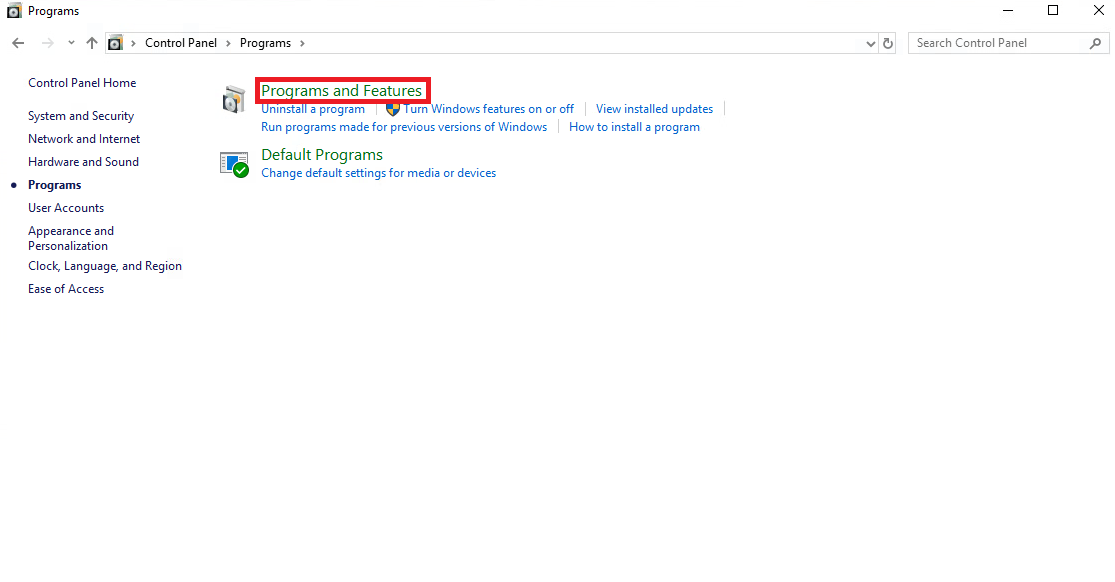
- Click on Programs and Features
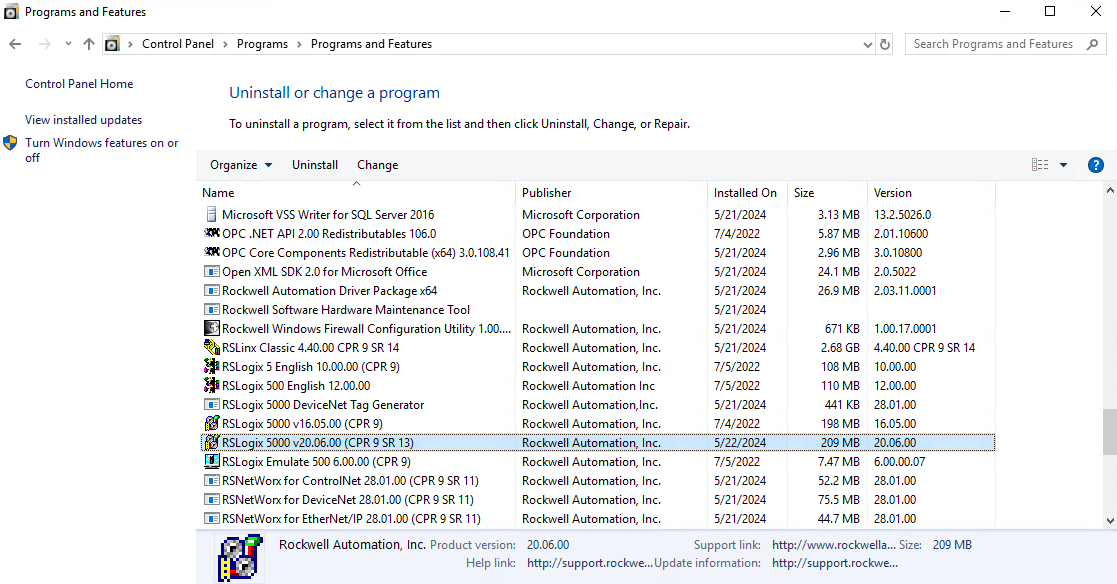
- Select the RSLogix 5000, Studio 5000 or FactoryTalk Optix Studio revision you need to uninstall.
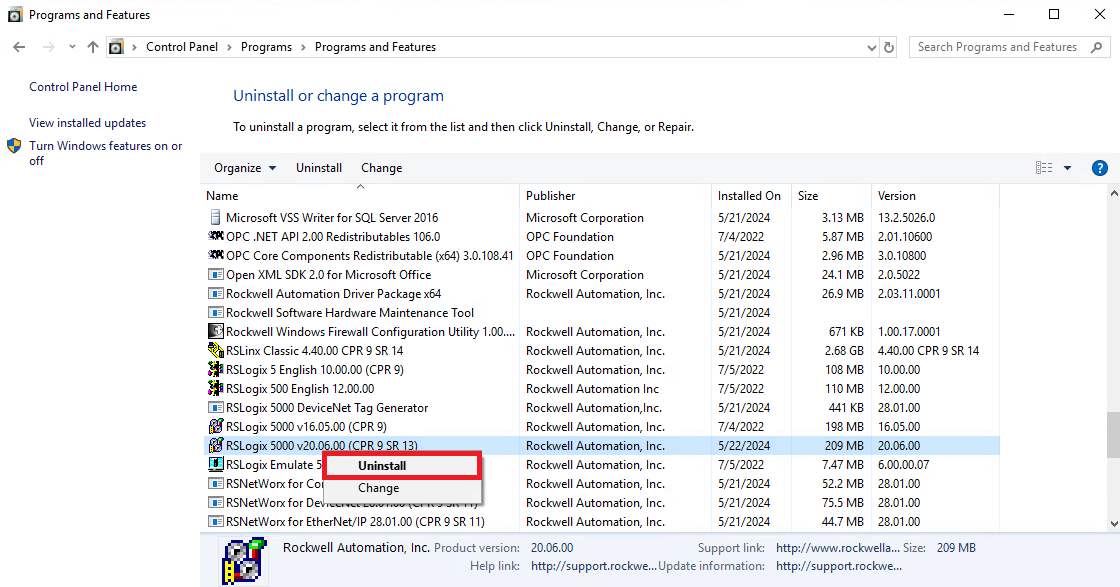
- Right-click on the selected revision and select Uninstall.
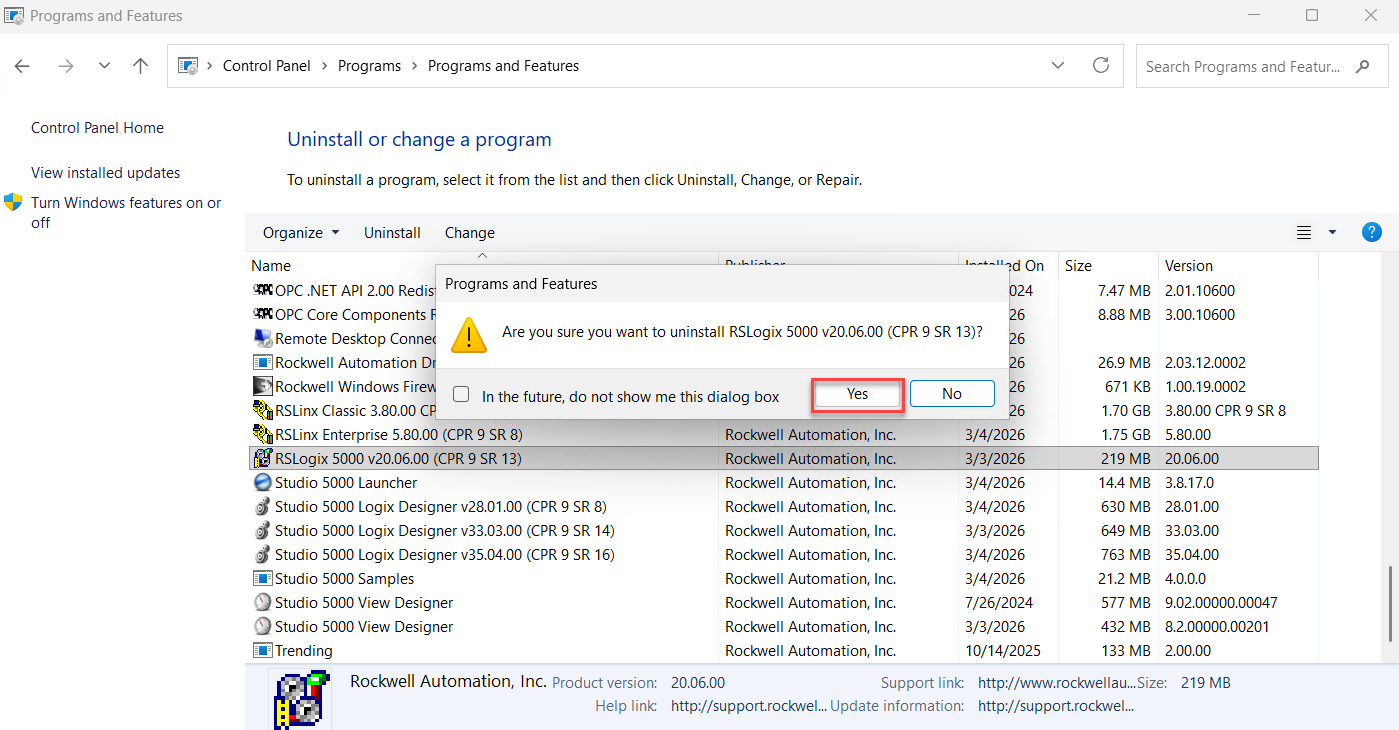
- Click Yes to agree to the uninstall process
- Select the correct version and click Next
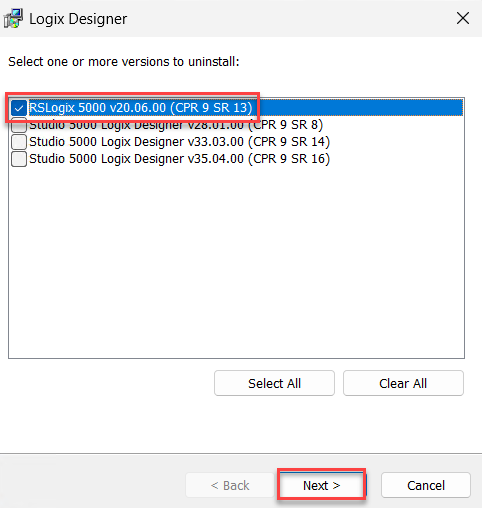
Note: If you are uninstalling RSLogix5000/Studio5000 due to an issue with Module Profiles, please follow
BF27567 – RSLogix 5000/Studio 5000: Issues with Default Module Profiles - Click Uninstall to confirm the process
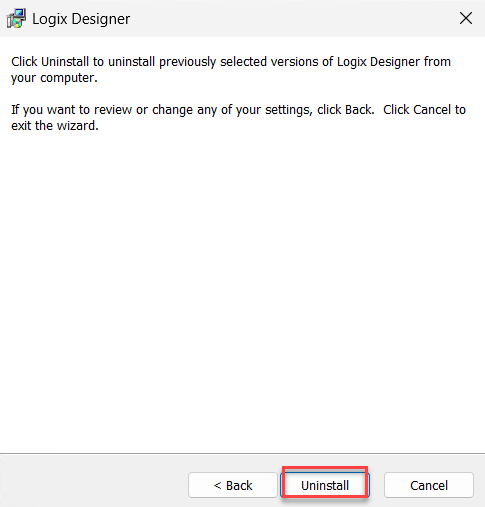
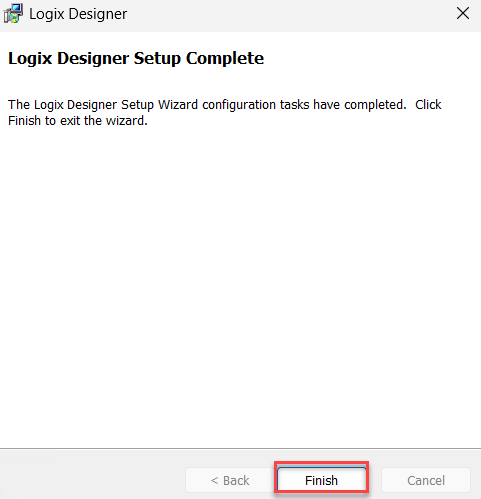
- Click Finish to exit the wizard.