Tiếng Việt
Technical Support
Micro800/PowerFlex 525/523 and 4-class: Reading/Writing parameters over Ethernet
Summary
Micro800/PowerFlex 525/523 and 4-class: Reading/Writing parameters over Ethernet
Environment
- Micro800 controllers
- PowerFlex 520-Series and 4-Class variable frequency drives
- Connected Components Workbench
Answer
Solution 1
Reference the links below for sample code files that may be suitable:
- 95429 – Micro800 UDFB: Single Parameter Read Over Ethernet for PowerFlex 520-Series and 4-Class Drives
- 95404 – Micro800 UDFB: Single Parameter Write Over Ethernet for PowerFlex 520-Series and 4-Class Drives
Refer to technote QA34237 – CCW: Using project from Sample Code Library for instructions on how to import sample code.
Solution 2
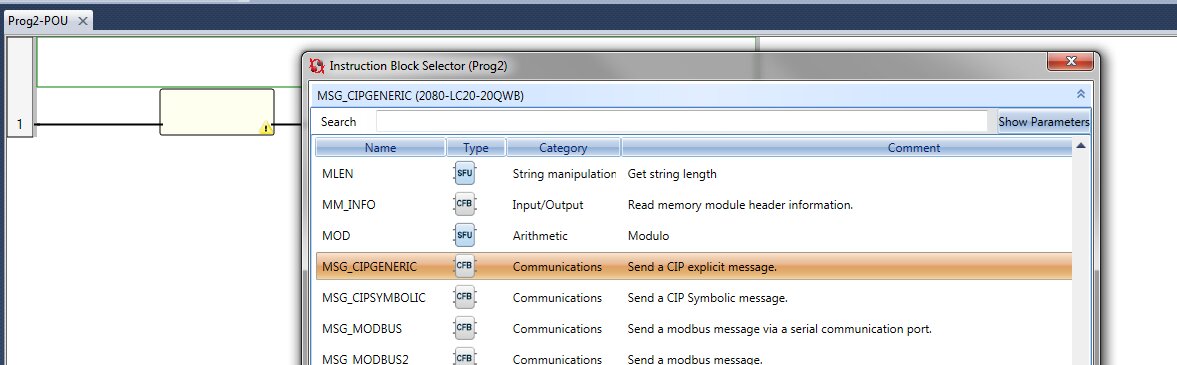
Start with the MSG_CIPGENERIC instruction. Select it from the Instruction Block Selector, as shown below:
Double-click each of its Inputs to create a set of variables. This creates a tag with the proper data type.
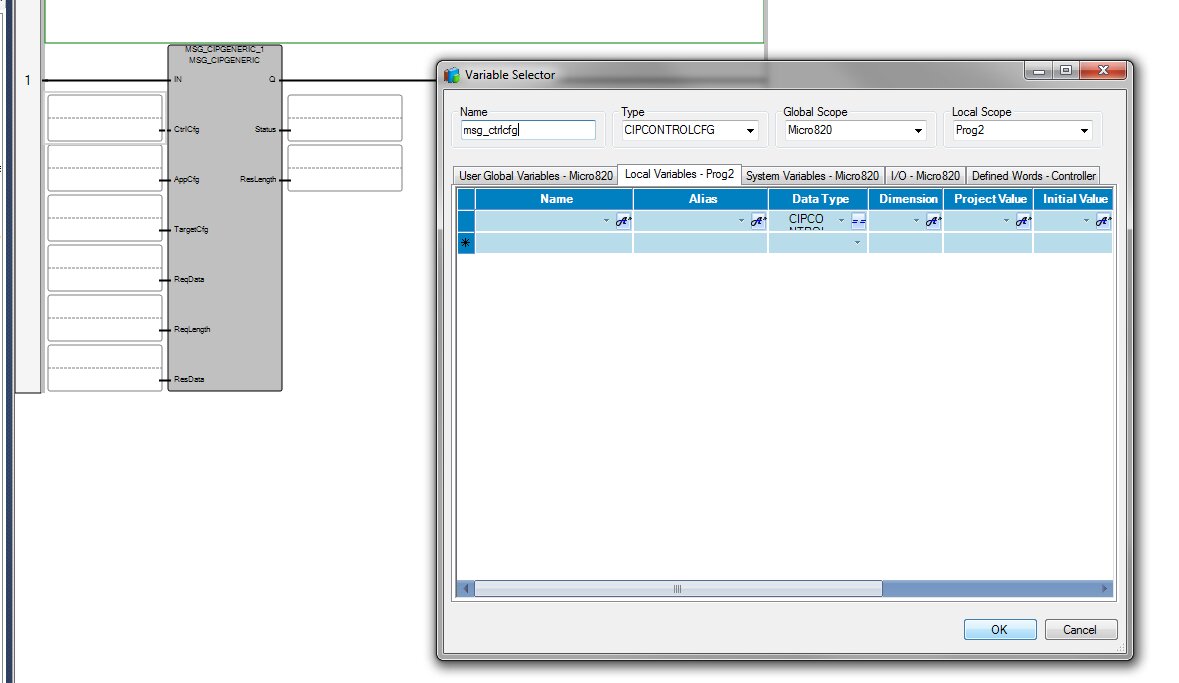
If a trigger is needed, add an open contact just before the MSG_CIPGENERIC instruction.
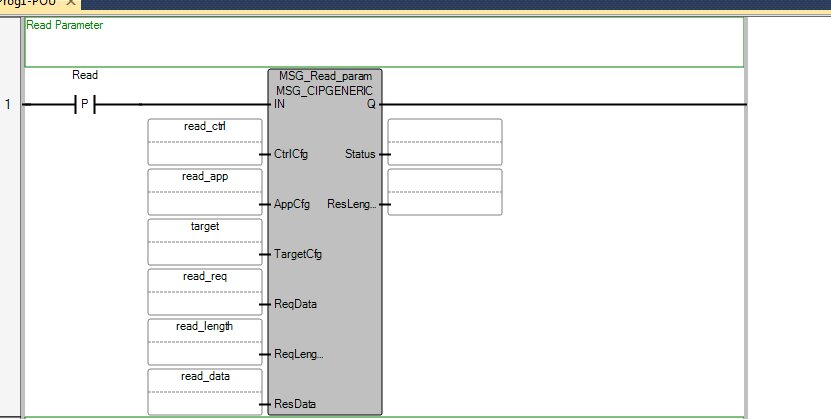
The completed rung should look like this:
For reading purposes, these are example values for the parameters:
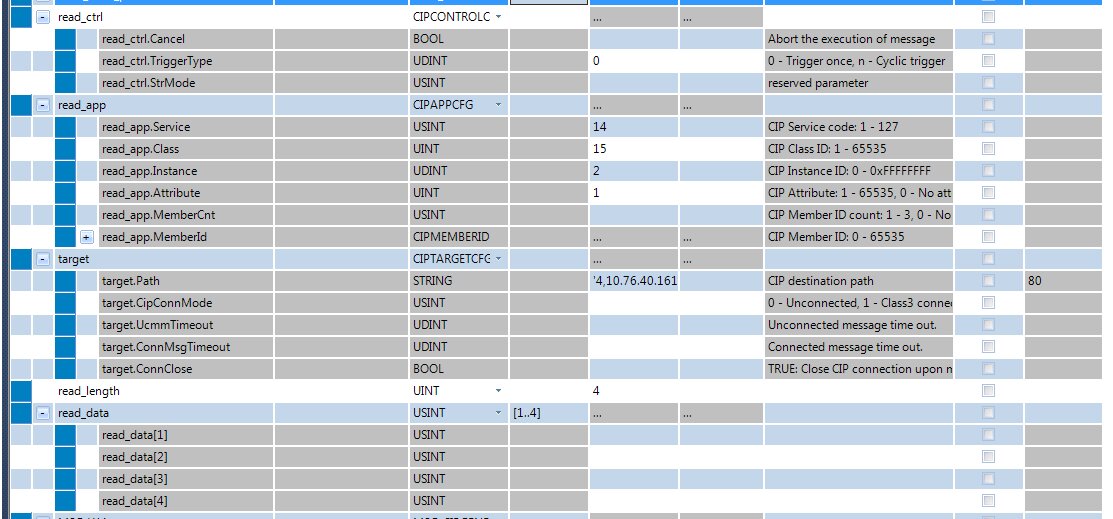
Service, Class, and Attribute are always set as shown in the image above. The Instance value equals the parameter that needs to be read from the PowerFlex 525 drive. In this example, it is Parameter 2 [Commanded Frequency].
The path is the drive’s IP address in the 4,IPAddress format. The last tag, read_data, is where the values read from the drive will be stored.
For writing purposes, the tag values look like this:
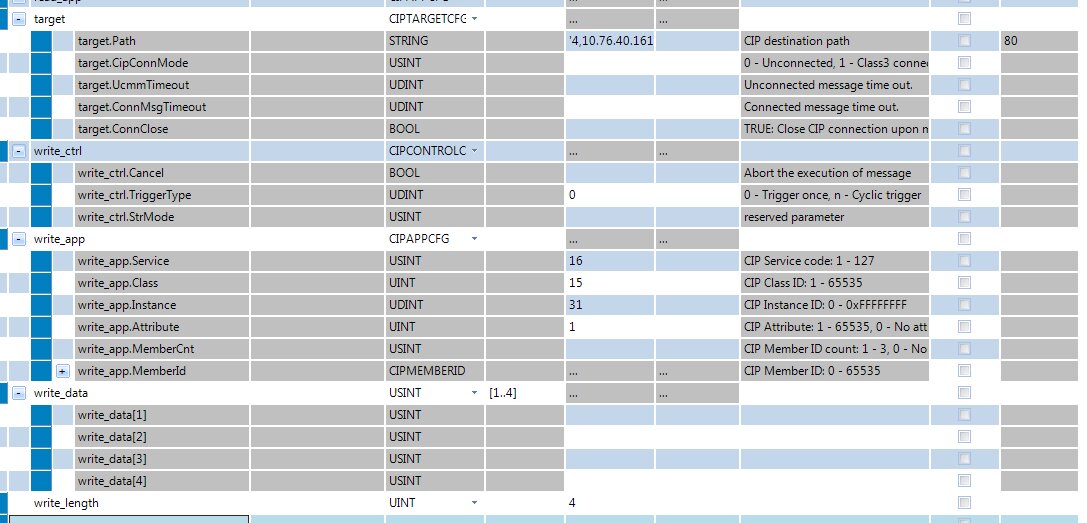
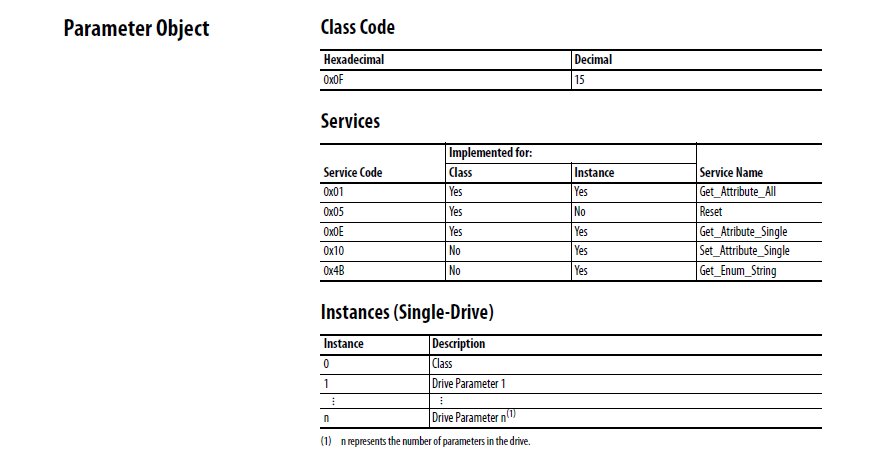
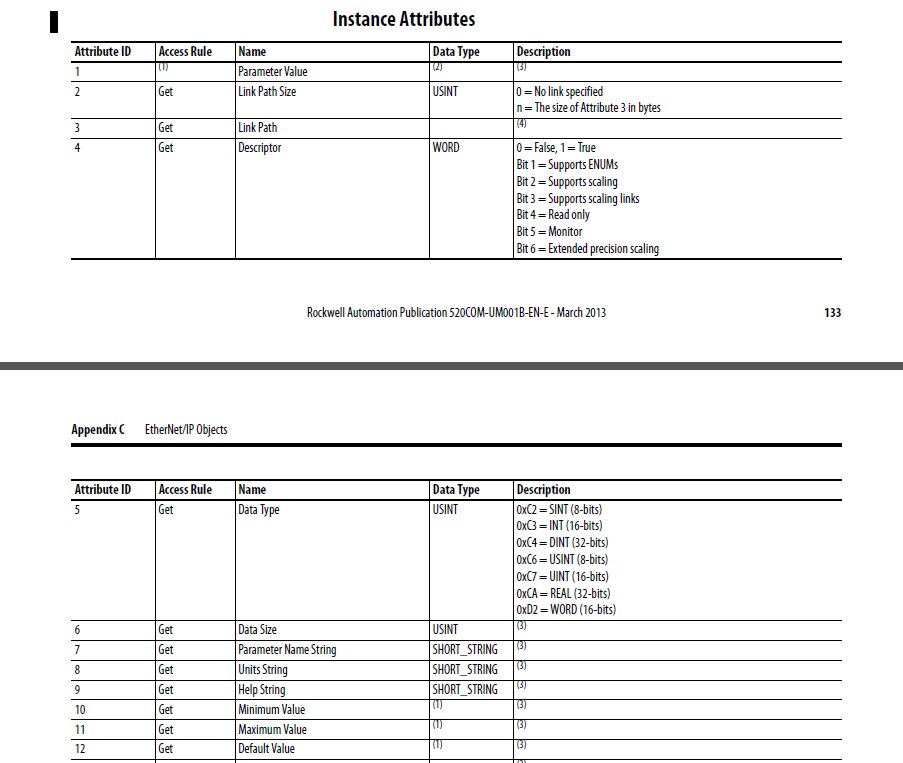
Service, Class, and Attribute values are explained in the following images: