Tiếng Việt
Consulting, Fire & Safety
Video Door Phone: Everything You Need to Know
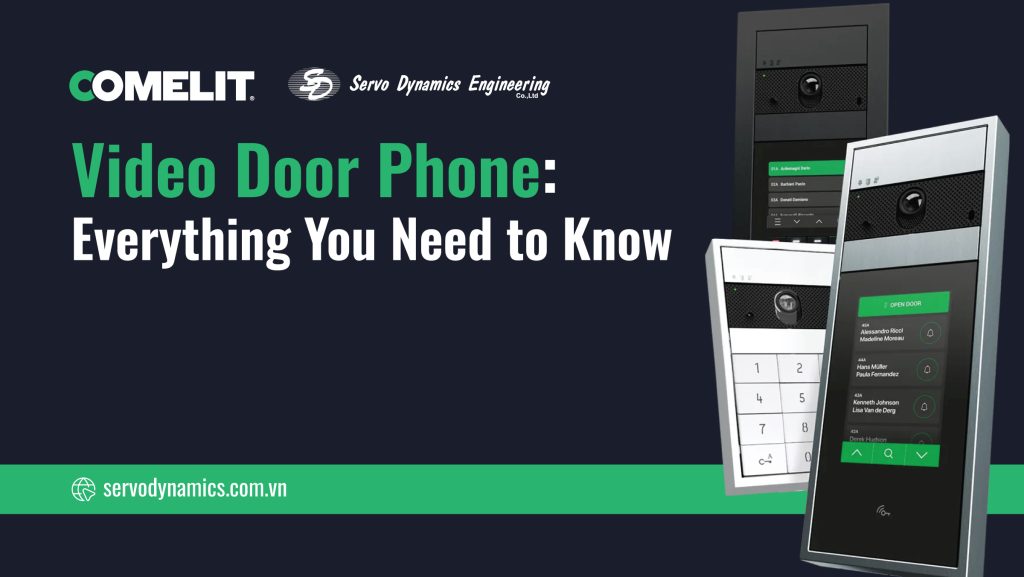
Every building, apartment, or office requires a secure and convenient access management system. And the Video Door Phone (or Video Door Entry System) is the leading security solution widely used today. This technology not only replaces traditional doorbells but also significantly enhances the ability to control security at home.
So what exactly is a Video Door Phone, how does it work, and are there better options available in the current smart home era? Let’s delve into every aspect of this crucial device with Servo Dynamics Engineering.
What is a Video Door Phone?
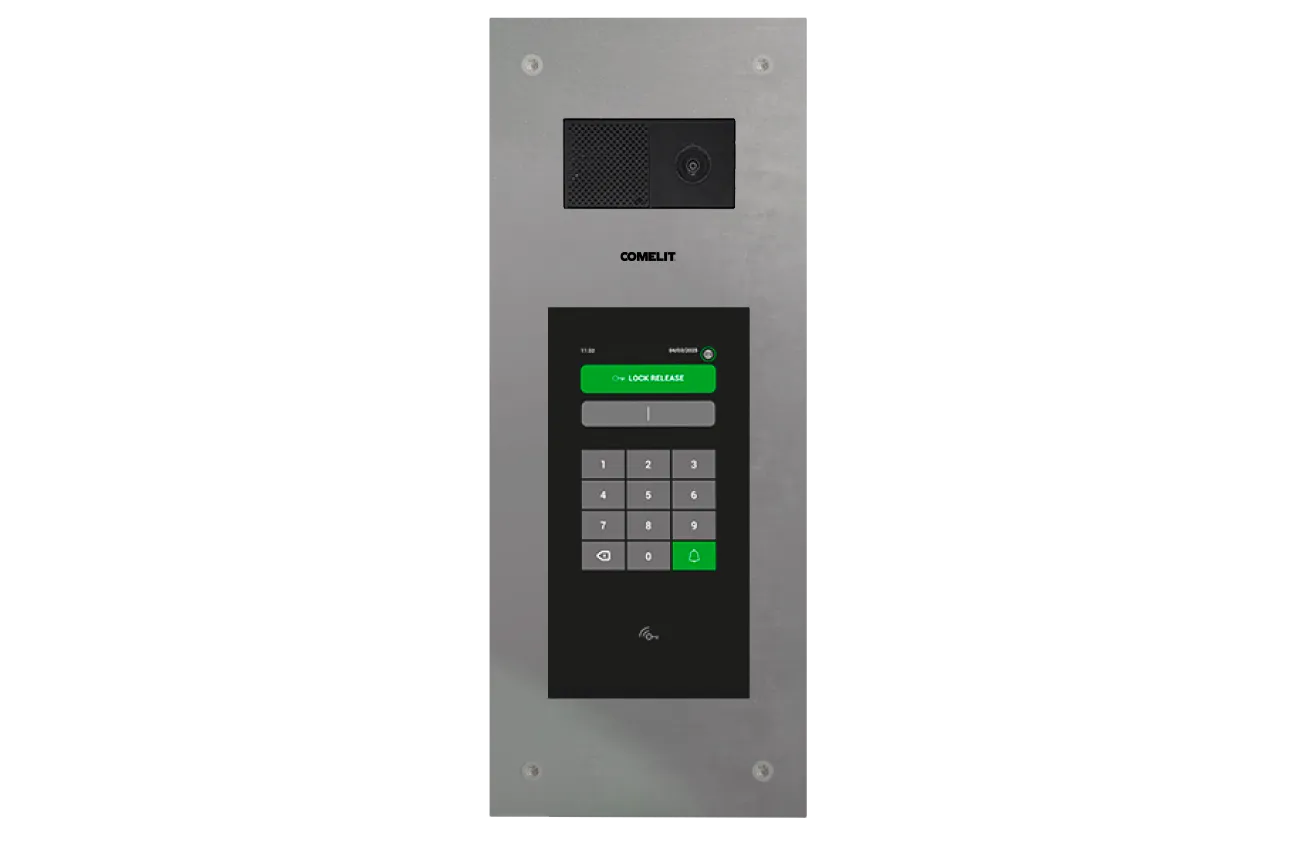
Defining the Video Door Phone
A Video Door Phone (or Video Door Entry System) is a security communication system that allows the person inside the house or apartment to see, hear, and speak to visitors right at the entrance or gate, before deciding to open the door. This system combines a camera, a monitor, and communication equipment to enable remote verification of a visitor’s identity.
How is a Video Door Phone different from a traditional doorbell?
| Criterion | Traditional Doorbell | Video Door Phone (Video Door Entry System) |
|---|---|---|
| Communication | Audio only. | Audio and Video. |
| Security | Requires opening the door for confirmation, high security risk. | Identity confirmed via image before opening the door, offering better security. |
| Range | Only works when you are physically in the house. | Many IP systems allow remote management via smartphone. |
| Features | Very basic. | Can record footage, detect motion, and integrate with electronic locks. |
Benefits of using a Video Door Phone
Using a Video Door Phone provides many practical benefits:
- Enhanced Absolute Security: Helps you see the person outside the door, which is particularly important when dealing with strangers or when you are home alone.
- Convenient Access Management: Allows automatic door opening from the indoor unit or smartphone.
- Evidence Recording: Many smart video door phone models can record video or take photos of visitors, even when you are away.
- Remote Control: IP door phone models allow you to answer calls and open the door for delivery personnel or relatives from anywhere.
How does a Video Door Phone work?
General Operating Principle
The Video Door Phone system operates based on the following basic steps:
- Activation: The visitor presses the call button on the outdoor camera unit.
- Signal Transmission: The call signal is transmitted from the outdoor camera to the indoor monitor.
- Display: The indoor monitor displays live video from the camera, and the chime rings.
- Communication: The user can engage in two-way communication with the visitor via the built-in microphone and speaker.
- Door Opening: If desired, the user presses the “unlock” button on the monitor, sending a signal to the electronic lock to open the latch.
Connection between Door Phone – Camera – Monitor – Smartphone
- Traditional Wired Systems (2-wire/4-wire): The outdoor camera is connected directly to the indoor monitor via physical cables. Video, audio, and power signals are transmitted over the same set of wires.
- IP Door Phone Systems: Devices connect to the LAN/WiFi network. Signals are encoded into Internet Protocol (IP) data packets and transmitted. The indoor monitor is optional, as a smartphone application can act as the main receiving device.
Wired vs. Wireless Video Door Phone: What are the differences?
| Criterion | Wired Door Phone | Wireless Door Phone |
|---|---|---|
| Stability | Very high, less susceptible to interference. | Can be affected by WiFi/Bluetooth signals and distance. |
| Installation | Complex, requires running wires through walls. | Simple, easy to install (DIY). |
| Power Supply | Continuous power supply via wire. | Often battery-powered, requires regular charging/replacement. |
| Distance | Unlimited if using a Repeater. | Limited by WiFi/Bluetooth coverage range. |
| Features | From basic to advanced (often included). | Focuses on smart features, smartphone connectivity. |
Components of a Video Door Phone System
A standard Video Door Phone system, whether wired or wireless, consists of the following main components:
Door Phone Camera (Button + Camera)
This is the outdoor unit, responsible for receiving calls and recording footage.
- Camera: Image sensor with a wide viewing angle (usually 100° – 180°), with infrared (IR) or LED lights for night vision.
- Call Button: Physical call button or a touch keypad (for multi-tenant systems).
- Microphone & Speaker: Used for two-way communication.
- Protective Casing: Typically rated IP65 or higher for water/dust resistance and IK rating for impact protection (anti-vandal).
Indoor Door Phone Monitor
This is the indoor unit, installed inside the apartment or private house.
- Display Screen: Common sizes range from 4 inches to 10 inches, available as Handset type (with receiver) or Hands-free type.
- Function Buttons: Answer button, door unlock button, camera view button, and intercom button.
Controller & Power Supply
- Power Supply Unit (PSU): Converts AC voltage to DC for the system.
- Central Controller: Especially in multi-tenant systems, this unit manages call routing, power, and connection to other devices.
Expansion Accessories: Electronic Lock, Sensors, WiFi…
Modern Video Door Phone systems can connect to:
- Electric Lock: To perform the remote door opening function.
- Security Sensors: Motion sensors, door/window contact sensors for integration into an alarm system.
- WiFi/IP Module: Allows connection to the Internet network and mobile applications.
Classification of Video Door Phones
Wired Door Phone
This is the traditional type, using a 2-wire or 4-wire cable system to connect directly between the outdoor station and the indoor monitor. High stability, suitable for new construction projects.
Wireless Door Phone
Operates via radio waves (WiFi, RF) between the camera and the monitor/smartphone. Quick installation, suitable for rental properties or places where wiring is difficult.
IP Video Door Phone (Network Connection, Mobile App Use)
Uses the Internet Protocol (IP) to transmit data. This is a modern solution, allowing unlimited connection to smartphones, tablets, and other network devices.
Smart Doorbell
Usually wireless or IP devices, integrating smart features such as facial recognition, active zones, cloud storage, and compatibility with virtual assistants (Google Assistant, Alexa).
Top Popular Video Door Phone Brands
The Vietnamese Video Door Phone market is diverse with many reputable brands:
Comelit
A premium Italian brand, leading in integrated communication and security solutions. Comelit is renowned for its luxurious design, advanced IP technology, and flexible integration into smart home systems.
Hikvision
A major player in the surveillance industry, offering powerful IP video door phone solutions that integrate perfectly with the brand’s CCTV surveillance system.
Panasonic
A Japanese brand with durable, easy-to-use traditional products, often used for private homes.
Ezviz
A subsidiary of Hikvision, focusing on affordable, easy-to-install wireless Smart Doorbells via mobile apps.
Dahua
Similar to Hikvision, Dahua offers competitive IP and analog door phone solutions, suitable for large projects.
Aiphone
A specialized Japanese brand for intercom systems, known for its reliability and superior call quality, often used in high-end projects.
Commax
A Korean brand, offering a diverse range of products from basic to high-end, popular and favored in Vietnam.
Video Door Phone Set – Which type should you choose?
The choice depends on the budget and specific usage requirements:
Budget Video Door Phone Set
Suitable for small private homes, requiring only basic viewing and speaking functions, typically a 4-wire wired type or a basic wireless type.
2K Smart Video Door Phone Set
This is the optimal choice for image quality and features. 2K resolution (or higher) with IP connectivity and cloud recording, suitable for those who prioritize security and technology.
Wireless Video Door Phone Set
The ideal solution for finished apartments or houses, where drilling walls for wires is undesirable, prioritizing mobility and quick installation.
Video Door Phone Set for Townhouses/Street-front Houses
Requires a highly durable type (IP65+ water resistance, IK impact resistance), wide viewing angle, and the ability to connect multiple monitors or gates/locks. IP Video Door Phone is the best choice.
Video Door Phone Set for Apartments/Condos
Mandatory to use a Multi-tenant System, usually IP or 2-wire Bus type, with centralized management capability and connection to the main lobby.
Video Door Phone connected to Smartphone
How does it work?
The Video Door Phone connected to a smartphone (usually an IP system) works by transferring the call from the outdoor station via the Internet/WiFi network to the cloud server, which then pushes a notification (Push Notification) to the mobile application on the user’s smartphone (iOS/Android).
Biggest Advantage
The biggest advantage is the ability to manage access remotely anytime, anywhere and eliminate the need for a physical indoor monitor, saving installation costs for receiving devices.
Practical Applications: Townhouses, Apartments, Offices…
- Townhouses/Villas: Monitor the gate/door when away, open the door for relatives or delivery personnel.
- Apartments/Condos: Answer calls from the main lobby without being physically present at home.
- Offices: Control staff access, greet customers even when the receptionist is not at their desk.
Video Door Phone Installation Guide
Standard Installation Procedure
Although there are slight differences between brands like Comelit, Hikvision, Panasonic, or Dahua, the standard installation procedure always includes:
- Planning: Determine the installation location for the outdoor camera (height 1.3 – 1.5m), the indoor monitor, and the wiring path.
- Wiring (Wired System): Run cables from the camera position to the monitor and to the power supply/electric lock. Use network cables (Cat5e/6) for IP systems.
- Device Mounting: Install the camera and monitor on the wall, ensuring tightness and stability.
- Power and Lock Connection: Connect the power supply and link the system to the electric lock.
- Configuration & Testing: Configure the IP address (if it’s an IP system), set up audio/video, and test the communication and unlocking functions.
Common Errors and How to Fix Them
- No power/Monitor doesn’t light up: Check the Power Supply Unit (PSU) and the power cable connection.
- No image/Image interference: Check the signal cable, ensuring the wires are not cut or incorrectly connected. For IP, check the network connection.
- Cannot unlock the door: Check the connection between the monitor and the electric lock, ensuring the lock is correctly powered.
Video Door Phone Wiring Diagram
Wiring is the most crucial step determining the system’s stability:
2-Wire System Wiring Diagram
Uses 2-wire Bus technology, requiring only 2 cable wires to transmit power, video, and signal. Simplifies installation and is ideal for upgrading from old analog systems.
4-Wire System Wiring Diagram
Uses 4 separate wires: 2 power wires, 1 video/audio wire, 1 lock control wire. Simple in principle but requires more cables.
IP Door Phone Wiring Diagram
Uses Ethernet network cable (Cat5e/Cat6). The system often employs PoE (Power over Ethernet) technology, which transmits both power and data over the same network cable, minimizing wiring.
Guide to Choosing Appropriate Wires
- Traditional Wired Systems: Should use dedicated cables provided or coaxial cables (for video) and twisted pair wires.
- IP Systems: Mandatory use of high-quality Cat5e or Cat6 network cables to ensure bandwidth and PoE power.
Price Comparison: Video Door Phone vs. Smart Doorbell Camera
| System Type | Equipment Cost | Installation Cost | Advantage |
|---|---|---|---|
| Traditional (Wired) | Medium – High | High (due to wiring cost) | Absolute stability, durable. |
| IP/Smart | Medium – High | Low (if network is available) | Smart features, remote management, flexibility. |
Experience in Choosing the Right Video Door Phone
Townhouses – What is needed?
Requires a system with a wide camera viewing angle to cover the entire door area, good weather resistance, and the ability to connect to auxiliary gates/main doors independently.
Apartments/Condos – Which one to choose?
Must choose a Multi-tenant System, prioritizing IP Video Door Phone for easy connection with the building management system and mobile applications.
Offices – What is the priority?
Prioritize access control capabilities (card, password, fingerprint), integration with the internal PABX system, and features for recording visitor logs.
Important Criteria: Resolution, Viewing Angle, Water Resistance, Memory…
- Resolution: Choose a minimum of HD (720P), or Full HD/2K for clear images.
- Viewing Angle: The wider the better (minimum 120°).
- Water/Dust Resistance: Must meet IP65 standard or higher for the outdoor station.
- Memory/Storage: Supports SD card or cloud storage to save visitor history.
Practical Applications of the Video Door Phone
Enhancing Family Security
The Video Door Phone acts as an “eye” at the door, helping to identify and prevent malicious intent from the outside, serving as the first and most effective layer of protection for the home.
Remote Access Management
Allows the homeowner to remotely open the door for visitors or delivery personnel via a smartphone app, even when they are at work or traveling.
Smart Home Integration
High-end IP door phone lines, such as Comelit, have the ability to integrate deeply into the Smart Home system, allowing control via voice, automatically turning on hallway lights when a visitor arrives, or activating complex security scenarios.
A Better Solution: Smart IP Video Door Phones
Are you thinking about installing or upgrading a video door phone system? There’s a better option available that’s far superior to traditional systems – a smart IP video door phone.
Why Choose an IP Video Door Phone?
IP video door phones harness the power of the internet to offer many amazing benefits:
- High-Quality Video and Audio: They support two-way video calls with clear images and sound.
- Uses Your Smartphone as the Receiver: No need for bulky indoor devices in each apartment. Your phone or tablet becomes the device you use to communicate and open doors.
- Remote Door Opening Anywhere, Anytime: Whether you’re at home, at the office, or even traveling, you can see, talk to, and open the door for visitors via an app on your phone.
- Easy Cloud Management: Building staff can grant access permissions, track entry history, and manage the system remotely through a cloud platform.
- Flexible Integration: They can connect with building management software, smart home systems, and other technology solutions.
In short, IP video door phones not only boost security but also simplify access management and greatly improve the user experience. They are the perfect alternative to traditional video door phone systems, ensuring you never miss an important visitor.
Comelit Video Door Phone: Top-Tier Safety and Convenience
In the diverse world of video door phones, Comelit stands out as a leading brand, offering advanced security solutions and maximum convenience for every space.
Key Advantages of Comelit Video Door Phone Systems
Comelit video door phone systems are designed to “shorten distances,” making it easy to connect with your visitors. Comelit’s strengths include:
- Easy Installation: Comelit products are designed for convenient setup and integrate perfectly into any system.
- Comprehensive Support: Comelit stands by its customers at every stage of system implementation, from design to programming, ensuring precise and readily available support.
- Smart Management: With Comelit’s dedicated app, you can manage all your apartment’s systems right from your smartphone, even using voice commands.
Popular Comelit Door Phone Product Lines
Comelit offers a wide range of outdoor panels and indoor units to meet all your needs:
Outdoor Panels: Design, Technology, and Security
Comelit provides various outdoor panel lines that perfectly combine design, technology, and security:
- SteelTouch: Modern design, advanced technology, and high security.
- Ultra: The refined combination of safety, elegance, innovation, and reliability.
- Ciao: Essential design, durable materials, and easy installation.
- Quadra: Compact, rigorous, functional, conveying elegance and robust materiality.
- Visto: The wireless smart doorbell, easy to install and configure.
- 3one6: Innovative, functional, and highly customizable solutions.
- Emergency: A line of push-button panels specifically designed for public and private security in parking areas.
Indoor Devices: Smart Living, Comfortable Living
Comelit’s indoor devices represent the ultimate in innovation, offering a range of possibilities for every need. From devices with a minimalist design to top-of-the-range models with widescreen displays and unparalleled image quality:
- 7TOP: A connected, robust, intuitive, and easy-to-install video door phone system. Equipped with a 7″ touch screen and a mechanical button, it combines security, technology, and design in one device.
- People Handset: A robust video door phone with a handset, for those who prefer a traditional communication experience.
- People Hands-free 4.3″ / 5″: Hands-free versions with 4.3-inch or 5-inch screens, easy to install and configure thanks to NFC technology.
- Mini Wi-Fi: The easy-to-install smart video door phone requires no system changes when replacing an old monitor.
- Mini: A functional and versatile video door phone with a handset.
- Mini Hands-free: A practical and easy-to-install hands-free video door phone.
- Maxi: Sophisticated, minimalist design combined with ease of use, offering the ultimate living experience.
- Icona: A symbol of style and technology: an exclusively designed video door phone with Sensitive Touch technology.
Indoor Door Communication: Simple and Ideal for Every Environment
Comelit indoor door phones are designed to suit all environments and meet even the most demanding aesthetic requirements. They combine high technology, contemporary design, and total customization:
- Sonus: A compact IP intercom that combines design, security, and functionality.
- Mini Audio: A classic, simple, and up-to-date solution.
- Mini Audio Hands-free: A hands-free intercom with a minimalist style and sophisticated design.

Servo Dynamics Engineering: Authorized Distributor of Comelit in Vietnam
In Vietnam, genuine Comelit video door phone products can be easily found through Servo Dynamics Engineering. As an authorized distributor of Comelit, Servo Dynamics Engineering not only provides the full range of advanced video door phone solutions but also ensures product quality, professional technical support services, and reliable warranty policies.
By choosing Servo Dynamics Engineering, you’ll receive dedicated consultation to find the Comelit system that best fits your needs, from individual apartments to large-scale condominium projects or office buildings. With their experience and deep understanding of the products, Servo Dynamics Engineering will help ensure your video door phone system implementation runs smoothly and efficiently, providing complete peace of mind regarding security and convenience.
Surveillance camera systems (CCTV) play a crucial role in ensuring the safety of people and [...]
Discover Premium Intercom, Access Control, and CCTV Systems by Comelit Servo Dynamics Engineering Company Limited [...]
Servo Dynamics – Authorized Distributor of Comelit – Comprehensive Security Solutions for Every Project Servo [...]
In the era of Industry 4.0, ensuring security and effective access management has become a [...]
The intercom system, also known as an internal communication system, is an optimal solution for [...] Explore Comelit Products
Learn More
What is CCTV? Classification and Applications
Mar

Comelit Product Range | Distributed by Servo Dynamics in Vietnam
Jun
Servo Dynamics – Authorized Distributor of Comelit – Comprehensive Security Solutions for Every Project
Jun

What is Access Control? Structure, Applications, and Types
Feb

What is an Intercom System? Types, Features, and Applications
Nov