Tiếng Việt
Technical Support
FactoryTalk Optix: Determine the best runtime package for your application with Runtime Sizing Tool

Summary
FactoryTalk Optix: Determine the best runtime package for your application with Runtime Sizing Tool
Answer
Before you can purchase a FactoryTalk Optix Runtime license, you need to determine the best FactoryTalk Optix Runtime package for your application. Rockwell provides tools to help you with this. The following sections covers how to choose the right Runtime package, then how to purchase a FactoryTalk Optix Studio Pro or Runtime entitlement and allocate it to your Organization.
Different sized FactoryTalk Optix Runtime licenses are available. The Runtime package size is based on the features used in an application.
FactoryTalk Runtime application package sizes available are:
- FactoryTalk Optix Runtime Lite XS (5 feature tokens) Perpetual
- FactoryTalk Optix Runtime Lite S (8 feature tokens) Perpetual
- FactoryTalk Optix Runtime Standard M (11 feature tokens) Perpetual
- FactoryTalk Optix Runtime Standard L (15 feature tokens) Perpetual
- FactoryTalk Optix Runtime Pro XL (21 feature tokens) Perpetual
- FactoryTalk Optix Runtime Pro Unlimited Perpetual
To determine the best package to purchase, use the Runtime Sizing calculator on FactoryTalk Hub.
- Navigate to FactoryTalkHub.com and log in with your MyRockwell account.
- Select your Organization by clicking the on the current Organization at top right of the page.Note: if the FactoryTalk Optix tile has a lock on it, it means you haven’t selected an Organization. Create or join an existing FactoryTalk Hub organization to access the Optix page.
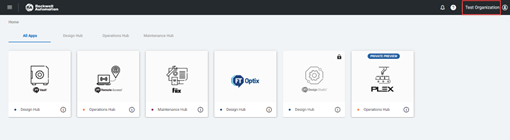
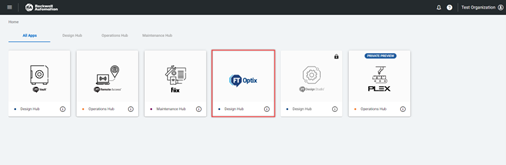
- Click on the FactoryTalk Optix tile. This will launch a new browser window.
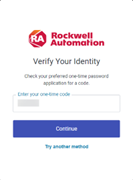
- Verify your identity by entering the appropriate authenticator code.
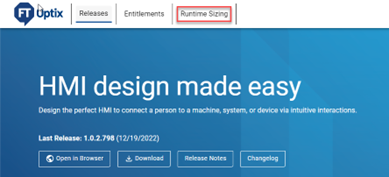
- Once you see the FactoryTalk Optix landing page, click ‘Runtime Sizing‘ to open the Runtime Sizing tool.
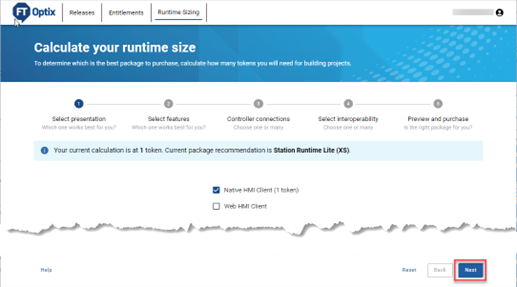
- Follow the prompts in the runtime sizing tool to calculate the right package for your application. The tool walks you through the features available. On each page, select the features you will be using in your application and click ‘Next’ after each step.
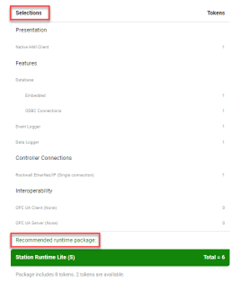
- When you have completed the steps, you are presented with a summary of your selections, with the recommended package for your application. In the example below, the FactoryTalk Optix Runtime Lite (S) package is recommended based on the selected features.
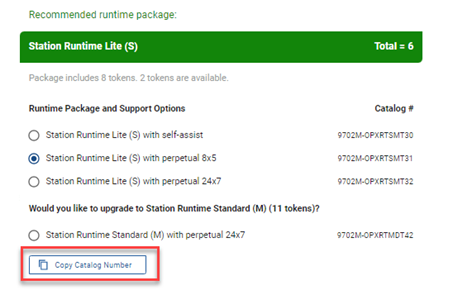
- Select the required support option for your recommended Runtime package from the list provided. The catalog number for your selected feature set is shown at right.
Click ‘Copy Catalog Number‘ to copy the catalog number to the clipboard – you can then paste it into the Commerce Portal search bar or any document needed.
- Now that you have the correct Runtime package selected, you can purchase the license and allocate its entitlement to your organization. The following section documents how to purchase and allocate a license for FactoryTalk Optix Studio Pro and FactoryTalk Optix Runtime packages.
Note: Licenses are not additive. For example, if you have 2 FactoryTalk Optix Runtime Lite S (8 feature tokens) licenses, tokens are not summed. There will be two independent licenses with 8 tokens.
Note: When sizing FactoryTalk Optix application, the communication driver is free when the controller and the computer or panel are both Rockwell Products.
Verify number of tokens required or used by the FactoryTalk Optix project
To determine the package license size for an HMI project that is already developed in Optix Studio:
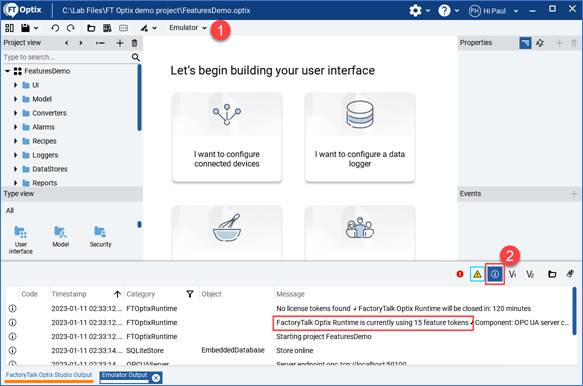
- Emulate the project
- Show information logs (you may also hide Errors and warnings temporarily)
- The number of feature tokens used by the runtime software is displayed as shown in the example below.
Source: Rockwell Automation’s Technote database.