Tiếng Việt
News, Consulting, Stratus Technologies
Best 5 Virtualization Software in 2025
When it comes to making the most out of your computing resources, virtualization software stands out as a game-changer. Whether you’re a developer looking to test applications in different environments or a business wanting to optimize server resources, virtualization has your back. But with so many options available, how do you choose the best one for your needs? Let’s dive into the world of virtualization software and explore your top choices for 2025!
What is Virtualization?
Virtualization is the process of creating multiple virtual instances of a physical system, such as a server, desktop, or application. This allows organizations to run multiple operating systems and applications on a single physical machine, maximizing resource utilization and flexibility.
Benefits of Virtualization
- Improved Resource Utilization: By consolidating multiple workloads onto a single physical server, virtualization can significantly improve resource utilization and reduce hardware costs.
- Enhanced Flexibility: Virtualization allows organizations to quickly add or remove virtual machines as needed, providing greater flexibility and scalability.
- Increased Availability: Virtualization can help improve system availability by allowing for rapid failover and disaster recovery.
- Simplified Management: Virtualization can simplify IT management by providing centralized control and automation.
- Reduced Costs: Virtualization can help reduce IT costs by consolidating hardware, simplifying management, and improving efficiency.
Types of Virtualization
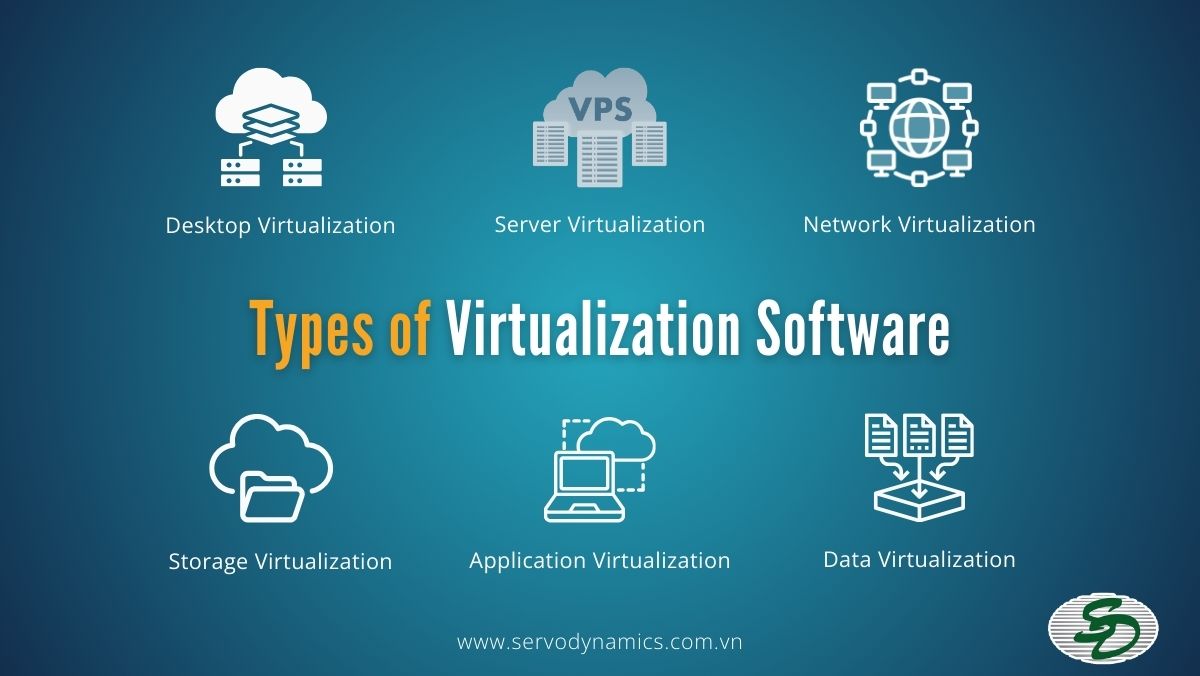
Desktop Virtualization
Desktop virtualization separates the desktop environment from the physical device, allowing users to access their desktop from any device remotely. This type is often used for remote work or managing multiple desktops from a central location.
Server Virtualization
Server virtualization involves dividing a physical server into multiple virtual servers, each running its own operating system and applications. This optimizes hardware usage and improves flexibility, scalability, and disaster recovery.
Network Virtualization
Network virtualization abstracts physical network resources, such as routers and switches, into a virtual network. This allows for more efficient management, increased flexibility, and optimized resource usage.
Storage Virtualization
Storage virtualization combines multiple storage devices into a single, logical storage unit. This simplifies management, enhances performance, and provides a more efficient way to allocate storage across systems.
Application Virtualization
Application virtualization separates applications from the underlying operating system, enabling them to run in isolated environments. This helps in reducing conflicts between applications and allows for easy deployment across different systems.
Data Virtualization
Data virtualization enables access to data across multiple storage systems without the need for replication. It provides a unified view of data, improving data accessibility and simplifying data integration for users and applications.
Key Features for Choosing Virtualization Software
Performance and Scalability
- Resource Allocation: The software should efficiently allocate CPU, memory, storage, and network resources to virtual machines.
- Live Migration: The ability to move running virtual machines between physical hosts without downtime ensures high availability and scalability.
- High Availability: Built-in features like clustering and failover should guarantee minimal downtime in case of hardware failures.
- Management and Automation
- Centralized Management: A single console for managing multiple virtual machines simplifies administration and reduces complexity.
- Automation: The software should support scripting and automation tools to streamline routine tasks and reduce manual errors.
- Template-Based Provisioning: Creating and deploying virtual machines from templates accelerates deployment and ensures consistency.
Compatibility and Integration
- Hypervisor Compatibility: Choose software that supports both Type 1 (bare-metal) and Type 2 (host-based) hypervisors to accommodate different environments.
- Compatibility with Hardware and Operating Systems: Ensure compatibility with your existing hardware and a wide range of guest operating systems.
- Integration with Other Tools: Look for software that seamlessly integrates with your existing IT infrastructure, such as network management, storage, and security tools.
Security and Isolation
- Security Features: The software should offer robust security features like role-based access control, encryption, and intrusion detection.
- Isolation: Virtual machines should be isolated from each other to prevent unauthorized access and data breaches.
- Snapshot and Restore: The ability to create snapshots of virtual machines allows for easy rollback in case of issues or accidental changes.
Cost and Licensing
- Pricing Models: Consider the licensing costs, including upfront fees, subscription models, and per-CPU or per-socket pricing.
- Scalability: Ensure that the software can scale to meet your organization’s growing needs without significant additional costs.
- Support and Maintenance: Evaluate the level of support and maintenance services provided by the vendor.
Additional Features
- Cloud Integration: For organizations considering hybrid or cloud-based deployments, look for software that integrates with popular cloud platforms.
- Disaster Recovery: Ensure that the software supports features like replication and failover to facilitate disaster recovery planning.
- Virtual Desktop Infrastructure (VDI): If you need to provide virtual desktops to remote users, consider software that supports VDI.
The Best Virtualization Software in 2025
Stratus everRun Solution
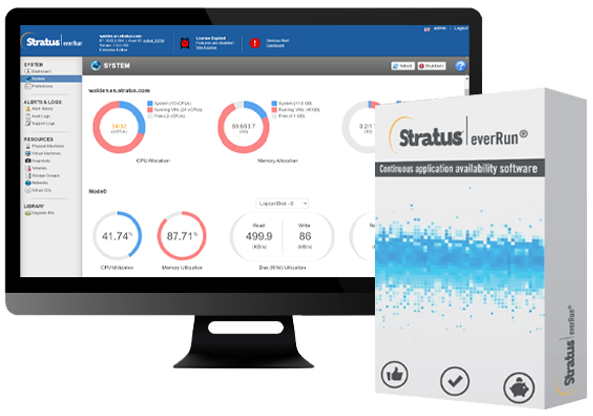
EverRun is a virtualization product from Stratus, similar to other virtualization software like VMware vSphere or Microsoft Hyper-V for running virtual machines (VMs). However, EverRun makes it easier for users to manage servers running critical applications, offering an uptime of up to 99.999% with two modes: Fault Tolerance (FT) and High Availability (HA). It is ideal for OT and IT teams to consolidate critical applications on a single virtualization platform—EverRun—eliminating downtime and data loss.
Features
- Fault-Tolerance: Ensures 99.99999% uptime, minimizing the risk of downtime or data loss.
- Built-in Virtualization: Allows seamless consolidation of multiple applications on a single platform with up to 40+ VMs.
- Platform Flexibility: Supports both OT-specific environments and traditional IT systems, with compatibility for hypervisors like VMware and Hyper-V.
- Predictive Monitoring: Provides intelligent fault tolerance and proactive issue resolution through continuous monitoring and self-healing mechanisms.
- Intuitive Management Console: Easy-to-use interface for both local OT teams and remote IT teams to manage and configure VMs.
- Edge and Data Center Deployment: Supports rugged environments at the edge as well as mission-critical applications in data centers and control rooms.
Pros
- Reliability: Near-perfect uptime (99.99999%) ensures critical applications remain operational without downtime or data loss.
- Consolidation Efficiency: Ability to consolidate dozens of applications onto a single platform reduces physical infrastructure, saving space and costs.
- Ease of Management: Intuitive management consoles make it easy to deploy and manage applications, even in remote or unmanned locations.
- Fault-Tolerant Architecture: Predictive fault tolerance and self-healing capabilities provide peace of mind by minimizing the risk of hardware failure and operational disruptions.
- Flexibility: Supports different environments and multiple hypervisors, making it adaptable to a variety of industrial automation needs.
Cons
- VM Limitations on Edge Solutions: While effective for edge environments, the ztC Edge platform only supports up to 4 VMs, which may be limiting for larger operations.
- Initial Investment Cost: The upfront cost of implementing fault-tolerant hardware and platforms may be high, especially for smaller organizations.
- Complexity in Larger Systems: For enterprises with highly complex systems, managing the entire workload on a single platform might still require advanced IT expertise.
VMware Workstation Pro
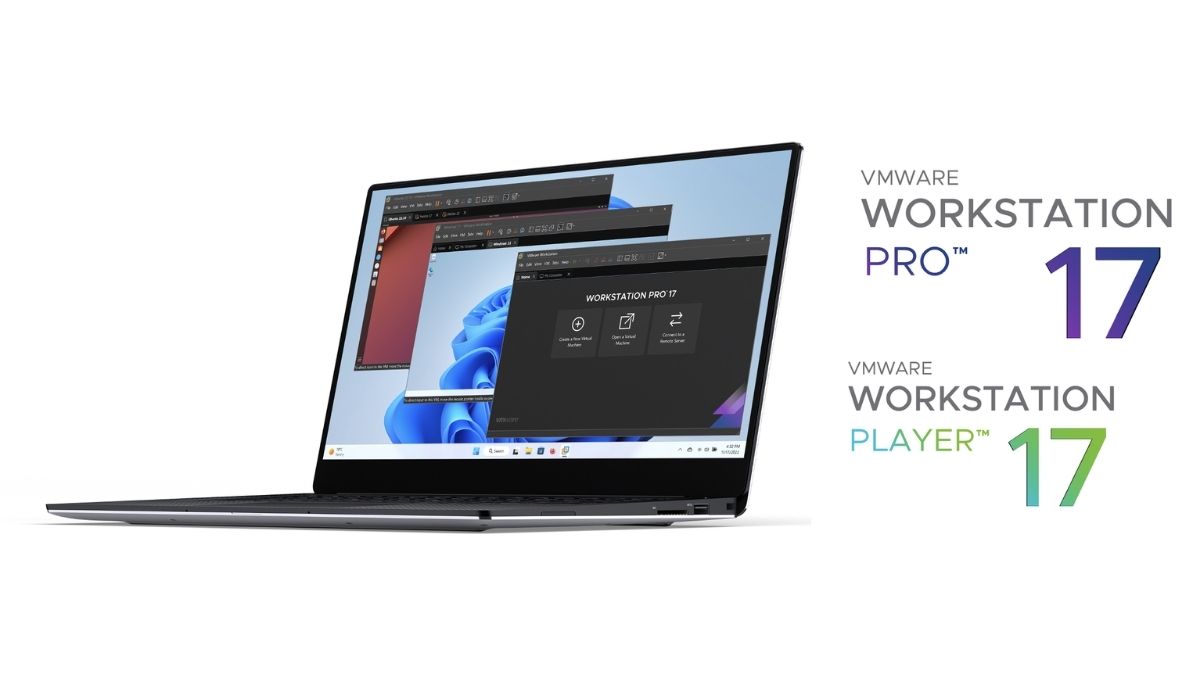
VMware Workstation Pro is a powerful and reliable virtualization software designed for advanced users and IT professionals. It supports a wide range of operating systems and offers robust features for creating and managing virtual machines.
Features
- Advanced Networking: VMware Workstation Pro offers sophisticated networking capabilities, including virtual network adapters, NAT, and bridged networking, allowing for complex network configurations.
- High Performance: Known for its high performance, it supports DirectX 11 and OpenGL 4.1, making it suitable for running demanding applications and games.
- Support for Multiple OSes: It supports a wide range of operating systems, including various versions of Windows, Linux, and even older OSes like DOS.
Pros
- Robust Feature Set: VMware Workstation Pro is packed with features that cater to both developers and IT professionals, such as snapshots, cloning, and remote connections.
- Excellent Performance: It delivers high performance, ensuring smooth operation even when running multiple VMs simultaneously.
- Strong Community Support: A large and active community provides extensive resources, forums, and third-party tools.
Cons
- Higher Cost: Compared to some competitors, VMware Workstation Pro is on the pricier side, which might be a consideration for budget-conscious users.
Oracle VirtualBox
VirtualBox is an open-source virtualization software that is free to use. It is suitable for both personal and professional use, offering a wide range of features and support for multiple operating systems.
Features
- Cross-Platform Support: VirtualBox runs on Windows, macOS, Linux, and Solaris, making it highly versatile.
- Extensibility: It surts a wide ranppoge of virtual disk formats and offers extensibility through a plugin architecture.
- Snapshot Functionality: Users can take snapshots of their VMs, allowing them to revert to previous states easily.
Pros
- Free and Open-Source: VirtualBox is free to use and open-source, making it accessible to everyone.
- Wide Range of Features: Despite being free, it offers a comprehensive set of features, including support for multiple OSes, snapshots, and seamless mode.
- Easy to Use: Its user-friendly interface makes it easy for beginners to get started with virtualization.
Cons
- Performance: While it performs well for most tasks, it may not match the performance of paid solutions like VMware Workstation Pro or Parallels Desktop.
Parallels Desktop for Mac
Parallels Desktop for Mac is designed specifically for macOS users who need to run Windows applications. It offers seamless integration with macOS and excellent performance on Apple silicon devices.

Features
- Coherence Mode: This feature allows Windows applications to run seamlessly on a Mac, integrating them into the macOS environment.
- Touch Bar Integration: For MacBook Pro users, Parallels Desktop supports the Touch Bar, providing quick access to Windows functions.
- High Performance: It offers high performance, making it suitable for running demanding Windows applications on a Mac.
Pros
- Excellent for Mac Users: Parallels Desktop is specifically designed for Mac users who need to run Windows applications, offering seamless integration and high performance.
- User-Friendly: Its intuitive interface makes it easy to set up and use.
- Subscription-Based Pricing: While this can be a con for some, the subscription model ensures users always have access to the latest features and updates.
Cons
- Subscription-Based Pricing: The ongoing cost of a subscription may be a drawback for some users who prefer a one-time purchase.
Microsoft Hyper-V
Microsoft Hyper-V is a hypervisor-based virtualization software that comes with Windows Server and Windows 10 Pro. It is ideal for enterprise environments and offers robust features for managing virtual machines.
Features
- Integration with Windows Server: Hyper-V integrates seamlessly with Windows Server, providing a robust platform for server virtualization.
- Live Migration: This feature allows for the migration of running VMs between physical hosts without downtime, ensuring high availability.
- Resource Management: Hyper-V includes tools for managing resources, such as CPU, memory, and storage, to optimize performance.
Pros
- Seamless Integration with Windows: For businesses already using Windows Server, Hyper-V offers a seamless and cost-effective virtualization solution.
- Powerful Features: It includes advanced features like live migration, replication, and dynamic memory allocation.
- Cost-Effective: Hyper-V is included with Windows Server at no additional cost, making it a budget-friendly option.
Cons
- Limited Support for Non-Windows OSes: While it supports some Linux distributions, its primary focus is on Windows environments, which may limit its versatility.
Here’s a comparison table for the virtualization software
| Feature | VMware Workstation Pro | Oracle VirtualBox | Stratus zero-touch computing platforms | Parallels Desktop for Mac | Microsoft Hyper-V |
| Cost | Paid | Free | Paid | Paid | Included with Windows Server |
| Operating System Support | Windows, Linux, macOS | Windows, macOS, Linux, Solaris | Windows, Linux | macOS | Included with Windows Server, Windows 10 Pro |
| Performance | High | Good | Excellent (fault tolerance) | Excellent (optimized for macOS) | High |
| Features | Advanced networking, high performance, support for multiple OSes | Cross-platform support, extensibility, snapshot functionality | Support for standard hypervisors, built-in virtualization, high availability | Coherence mode, Touch Bar integration, high performance | Integration with Windows Server, live migration, resource management |
| Ease of Use | Good | Easy | Good | Easy | Good |
| Open-Source | No | Yes | No | No | No |
| Best for | Advanced users, IT professionals | Personal and professional use, beginners | Enterprises requiring high availability and reliability | Mac users needing to run Windows applications | Enterprises already using Windows Server |
How to Choose the Right Virtualization Software for Your Needs
Assessing Your Requirements
The first step in selecting the ideal virtualization software is to carefully evaluate your specific needs. Determine the primary functions you require, such as running multiple operating systems simultaneously, isolating applications, or consolidating hardware resources. Additionally, consider the number of virtual machines you plan to operate, as this will significantly impact your software choice.
Comparing Features and Pricing
Once you have a clear understanding of your requirements, it’s time to explore the various virtualization software options available. Conduct thorough research to compare features, performance, and pricing. Consider factors like compatibility with your hardware, ease of use, support options, and any additional functionalities that may be beneficial.
Considering Future Scalability
It’s essential to anticipate how your virtualization needs may evolve over time. Choose software that offers flexibility and scalability to accommodate future growth. Look for options that can easily handle an increasing number of virtual machines, support additional features, and integrate seamlessly with other technologies in your infrastructure.
Use Cases of Virtualization Software
Virtualization software has revolutionized the way we utilize computing resources, offering a wide range of applications across various industries. Here are some of the most common use cases:
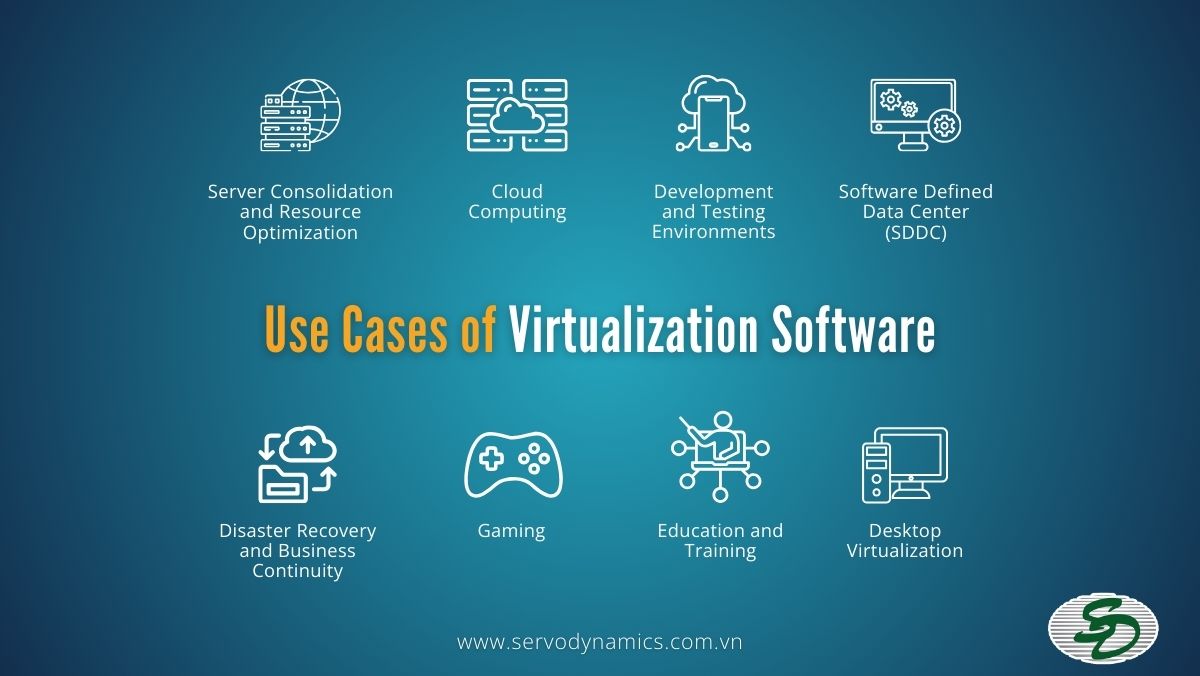
Server Consolidation and Resource Optimization
- Efficient hardware utilization: By running multiple virtual machines on a single physical server, organizations can significantly reduce hardware costs and energy consumption.
- Improved resource allocation: Virtualization allows for dynamic allocation of resources, ensuring that critical applications receive the necessary CPU, memory, and storage.
- Enhanced scalability: New virtual machines can be easily added or removed as needed, enabling businesses to quickly adapt to changing workloads.
Disaster Recovery and Business Continuity
- Rapid recovery: In the event of a hardware failure or natural disaster, virtual machines can be quickly restored from backups, minimizing downtime and ensuring business continuity.
- Testing and validation: Virtual environments provide a safe and controlled space for testing disaster recovery plans, identifying potential vulnerabilities, and refining response procedures.
Development and Testing Environments
- Isolated environments: Developers can create isolated virtual environments for testing new code or applications without affecting the production systems.
- Consistent environments: Virtualization ensures that all team members are working in identical environments, reducing the risk of configuration errors and inconsistencies.
- Rapid provisioning: New development environments can be provisioned in minutes, accelerating the development process.
Cloud Computing
- Infrastructure as a Service (IaaS): Virtualization is the foundation of IaaS offerings, allowing providers to deliver scalable and flexible computing resources to customers.
- Platform as a Service (PaaS): Virtualization enables PaaS providers to offer pre-configured environments for developing and deploying applications, simplifying the development process.
Desktop Virtualization
- Centralized management: IT departments can centrally manage and control desktop environments, reducing administrative overhead and improving security.
- Improved security: By centralizing data and applications, organizations can implement stronger security measures to protect sensitive information.
- Cost reduction: Desktop virtualization can reduce hardware costs, software licensing fees, and IT support expenses.
Software Defined Data Center (SDDC)
- Flexible infrastructure: SDDC leverages virtualization to create a software-defined, programmable infrastructure that can be dynamically adapted to changing business needs.
- Automated operations: Automation tools can be used to manage and optimize SDDC resources, reducing manual intervention and improving efficiency.
Education and Training
- Providing virtual labs: Virtualization enables educational institutions to provide students with access to virtual labs, allowing them to experiment with different technologies without the need for physical equipment.
- Flexibility: Virtual labs can be accessed from anywhere, providing students with greater flexibility and convenience.
Gaming
- Running multiple games or virtual machines on a single system: Virtualization can be used to run multiple games or virtual machines on a single powerful system, enhancing gaming experiences.
- Performance optimization: Virtualization can help optimize resource allocation for gaming, improving performance and reducing lag.
Future Trends in Virtualization
Cloud-Based Virtualization
Cloud-based virtualization is transforming how organizations manage their IT resources. By leveraging the cloud, businesses can access virtualization resources on demand, eliminating the need for substantial upfront investments in physical hardware. This approach offers scalability, flexibility, and cost-efficiency, making it an attractive option for companies of all sizes.
Containerization
Containerization is gaining traction as a lightweight form of virtualization. Unlike traditional virtual machines, containers share the host system’s kernel, making them more efficient and faster to deploy. This technology is particularly popular for running applications in the cloud, as it allows for greater portability and consistency across different environments.
Edge computing
Edge computing is another trend reshaping the virtualization landscape. By processing data closer to the source, edge computing reduces latency and improves performance, which is crucial for applications requiring real-time processing. This trend is particularly relevant for IoT devices and applications in remote or distributed locations. Virtualization at the edge allows for more efficient use of resources and better data management.
Automation and artificial intelligence (AI)
Automation and artificial intelligence (AI) are becoming integral to virtualization management. AI-driven tools can optimize resource allocation, predict potential issues, and automate routine tasks, thereby improving efficiency and reducing operational costs. These technologies
Desktop and application virtualization
Desktop and application virtualization are also on the rise, driven by the need for remote work solutions. Virtual desktops and applications allow employees to access their work environments from anywhere, enhancing productivity and flexibility. This trend has been accelerated by the global shift towards remote and hybrid work models
How can Stratus help with virtualization
Stratus zero-touch computing platforms are purpose-built to run fault tolerant computing in a range of environments, from the IT edge to the OT edge.
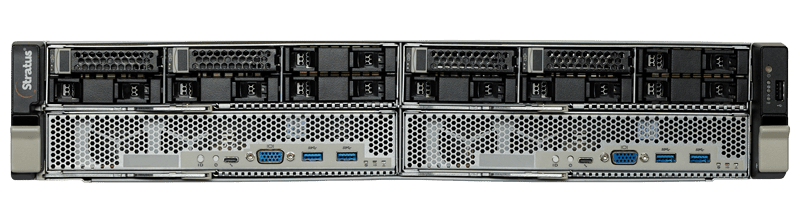
Stratus ztC Endurance™Stratus ztC Endurance enables organizations to run critical applications without downtime or data loss using intelligent, predictive fault tolerance and 99.99999% uptime reliability. With built-in virtualization, teams can easily consolidate multiple servers and devices onto a single, fault tolerant platform, allowing them to run 12-40+ VMs, improve performance, reduce total IT footprint and costs while ensuring application availability and uptime. |
 |
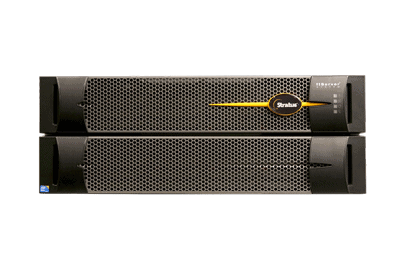
Stratus ftServer®Stratus ftServer is a computing platform uniquely engineered to run mission-critical applications in the data center, control room, or an edge location without downtime or data loss. Using ftServer, organizations can rapidly modernize IT infrastructure to maximize reliability, simplify manageability, and increase efficiency with minimal risk. The platform offers the flexibility to consolidate workloads with the hypervisor of your choice and can run anywhere between 1-30 VMs depending on the use case. |
 |
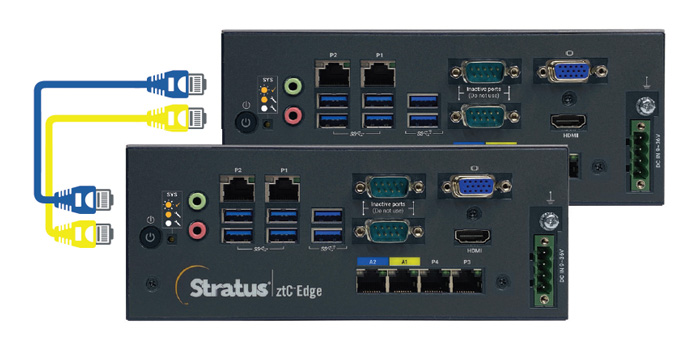
Stratus ztC Edge™Stratus ztC Edge is a secure, rugged, highly automated computing platform that enables the rapid and efficient delivery of reliable mission-critical applications in remote, understaffed locations at the edge of corporate networks. Built-in virtualization with an intuitive management console makes it easy for local OT teams and remote IT teams to set up, configure, import, and manage up to 4 VMs. |
 |
Servo Dynamics: A Master Distributor For Stratus Virtualization Software In Vietnam
Servo Dynamics Engineering (SDE) is the official distributor of Stratus Technologies in Vietnam, providing advanced virtualization and edge computing solutions such as everRun, ftServer, and ztC Edge. These solutions ensure that your systems operate continuously and without interruption, even in critical situations.
Why choose Servo Dynamics?
- Comprehensive support: From consulting, installation, and maintenance to upgrades, we are always with our customers.
- Team of experts: Supported by a team of skilled and experienced engineers.
- Customized solutions: Designed specifically to meet your specific business needs.
If you are looking for a virtualization solution to optimize resources and improve the performance of your business, contact Servo Dynamics for a FREE consultation today!
FAQs
- Type 1 hypervisors run directly on the physical hardware, providing a more efficient and secure environment. Examples include VMware ESXi and Microsoft Hyper-V.
- Type 2 hypervisors run as an application on top of an operating system, offering a more user-friendly interface but potentially sacrificing performance. Examples include Oracle VirtualBox and VMware Workstation.
Yes, you can use virtualization software on your personal computer. Many popular virtualization platforms, such as VirtualBox and VMware Workstation, are designed for personal use.
The cost of virtualization software varies depending on the specific platform, features, and licensing model. Some platforms, like VirtualBox, are free, while others, like VMware ESXi, require licensing fees.
Virtualization can be highly secure when implemented correctly. It provides isolation between virtual machines, making it difficult for malicious actors to access sensitive data. However, proper security measures, such as strong passwords, firewalls, and regular updates, are still essential.
Parallels Desktop for Mac is the ideal choice due to its seamless integration with macOS, high performance, and support for Apple silicon devices. It offers a user-friendly interface and excellent performance for running Windows applications on a Mac.
Oracle VirtualBox is a popular free option that offers a wide range of features, including cross-platform support, extensibility, and snapshot functionality. It’s suitable for both personal and professional use and is a great choice for those on a budget.
- Stratus zero-touch computing platforms are a strong contender for server virtualization, particularly in environments requiring high availability and reliability. They offer fault tolerance, built-in virtualization, and support for standard hypervisors like VMware and Hyper-V.
- Microsoft Hyper-V is also excellent for server virtualization, especially for businesses already using Windows Server. It offers seamless integration, robust features like live migration and replication, and is included with Windows Server at no additional cost.
VMware Workstation Pro is generally considered the best option for gaming due to its high performance, support for DirectX 11 and OpenGL 4.1, and robust networking capabilities. It can handle demanding games and provides a smooth gaming experience.